












Homebase is a scheduling and team-management solution for small businesses that puts work schedules at the heart of HR management. The product stands out from the competition in one area in particular: It’s not complicated. Compared to the features commonly found in most HRIS offerings, Homebase is a paragon of simplicity and usability.
Homebase’s products follow the growth trajectory of a typical new business that needs help with recruiting, onboarding, compliance and workforce management. However, limited third-party integrations and a lack of benefits administration make Homebase a poor choice for larger businesses looking for an all-in-one HR solution.
Pros
- Simple, straightforward interface is easy to learn and use
- Provides a clear upgrade path for growing small businesses
- Free version offers basic scheduling and team communication for up to 20 workers
Cons
- Lacks benefits administration
- Onboarding and HR compliance available only in the high-end All-in-One plan
- Limited schedule views and customization options
Homebase Key Features
The core of Homebase is scheduling, which serves as the starting point for your business’s HR management tasks. However, Homebase also offers time clocks and timesheets, payroll, hiring and onboarding, team communication, employee engagement, and HR and compliance. The leap from schedules to a complete HR management solution (minus benefits) is more logical than it may appear at first.
Scheduling
Start by adding team members to your schedule, which you can do manually, in bulk using a spreadsheet or by importing from one of about a dozen POS systems. Manual entry of team members includes adding job titles, wages and pay rates, as well as assigning each person to one of three access levels: Employee, Manager or General Manager. The option to add team members in bulk asks which parts of employee profiles you want to fill out in bulk and offers 10 categories that include role, wage rate and access level.
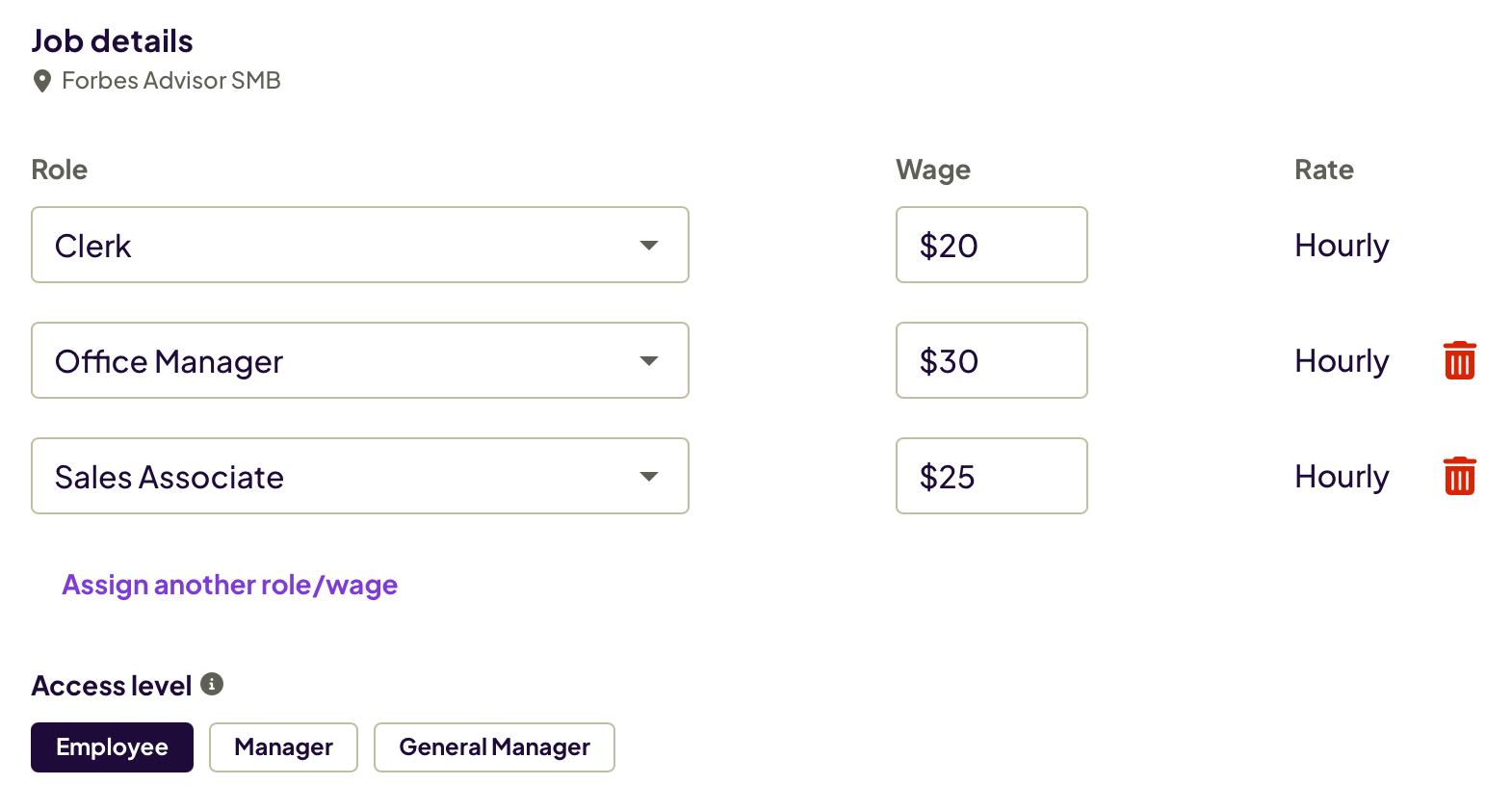
You’re then asked whether any employees have multiple pay rates and the maximum number of rates per employee. The next screen lets you paste employee contact information into Homebase that you copied from a spreadsheet. With your team members in place, you create your work schedule by adding shifts to the Homebase calendar grid. The shift options are start and stop times, days of the week, role, time off and shift notes.
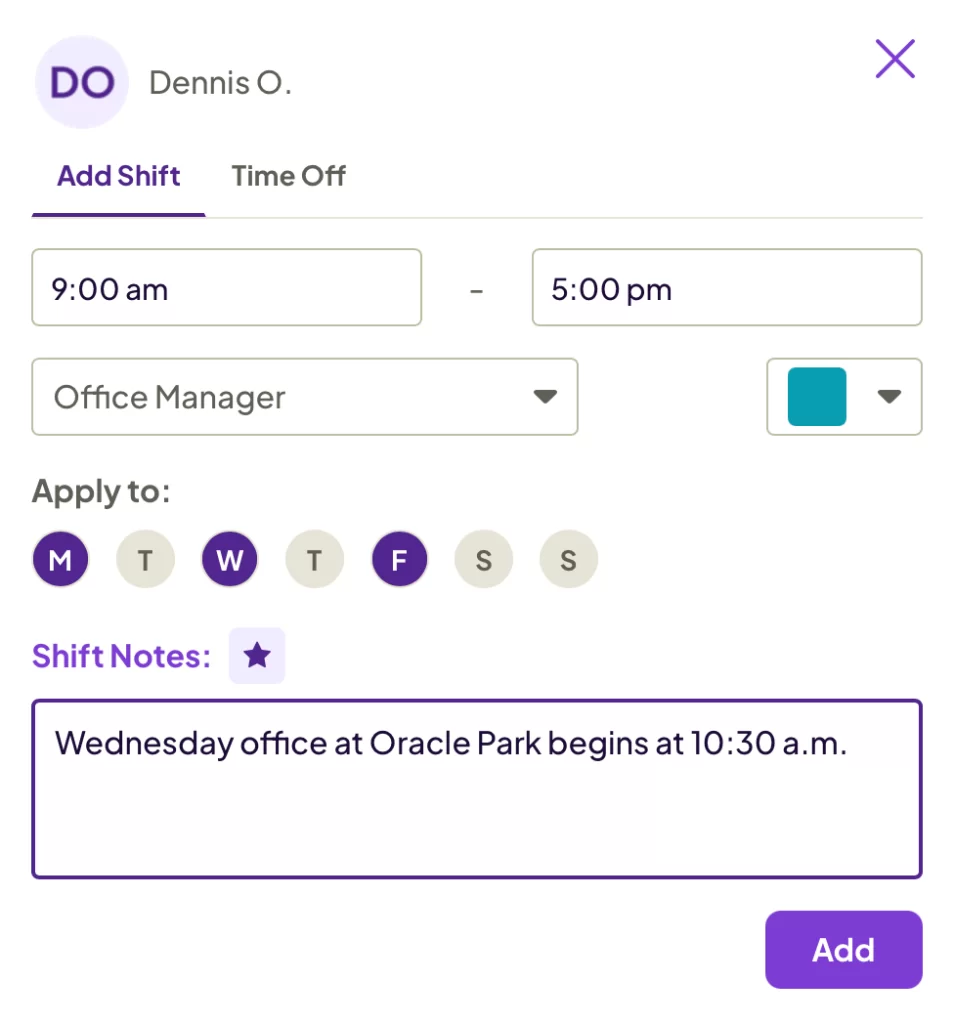
Once the schedule is finished, you can publish it to make it available to other team members. Other scheduling options let you view and change your departments and roles, view team availability and set your own availability.
The process of adding team members and setting up schedules felt natural and intuitive. Homebase’s scheduling interface lacks the bells and whistles of other scheduling apps, such as one-click messaging and employee photos in their profiles, but in terms of learning and usability, the system couldn’t be simpler.
Time Clocks and Timesheets
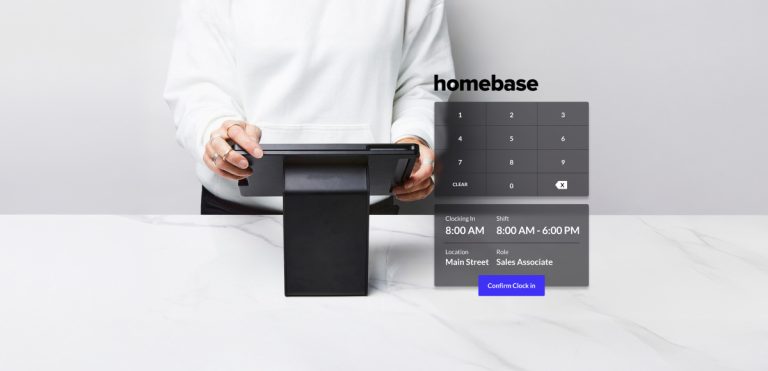
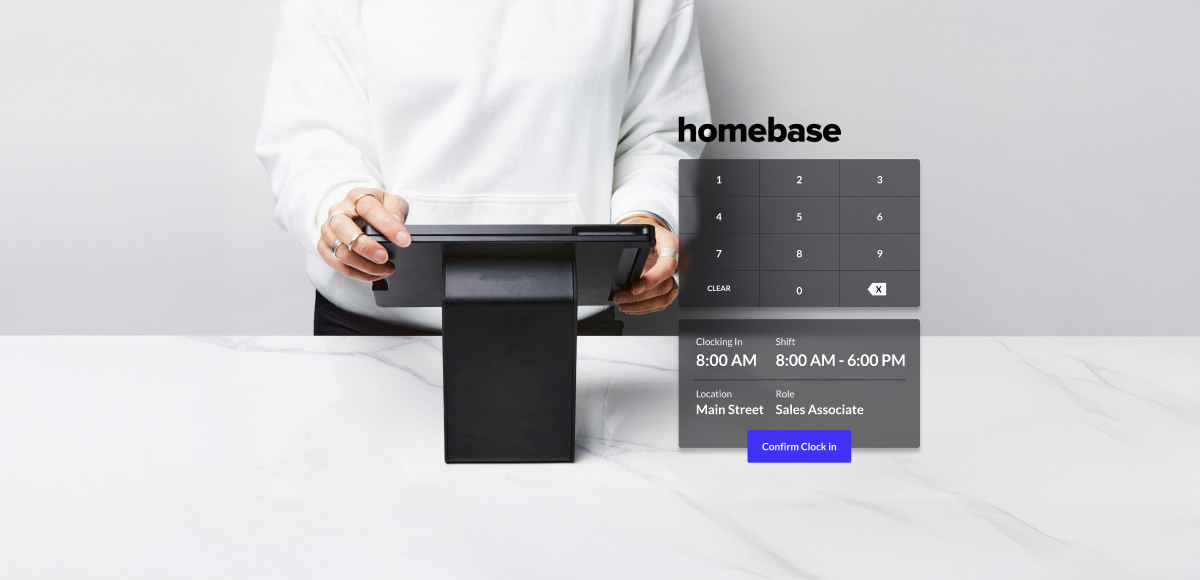
Homebase’s time clock works with team members’ mobile phones or a shared device such as a tablet kiosk that employees access by entering a PIN. The mobile app lets businesses track the location from which workers clock in to within 150 feet of the address you enter.
Once the time clock is set up, you invite team members to access it on their mobile phones with a single click. Managers can confirm each clock-in and send reminders to employees if they forget to clock out at the end of their shift.
Homebase’s timesheets calculate hours, overtime and wages automatically. Companies can run payroll with no manual data entry and view reports that show scheduled vs. actual hours, on-time arrival, shift feedback and labor costs by hour, role and overall.
Payroll
The payroll add-on from Homebase gives businesses options for preparing payroll runs a day in advance and automating payroll processing completely. The product confirms that you comply with all tax, wages, breaks and overtime requirements in your jurisdiction. You can set up policies for paid time off and track balances and accruals from within Homebase. The company handles new-hire reporting, filing and distribution of W-2s and 1099s, and pooled tips using its Tips Manager add-on.
Hiring and Onboarding
You can use Homebase to post job openings for free to popular recruiting services such as ZipRecruiter, Indeed and Glassdoor. The product features pre-filled and customizable job descriptions, and it allows walk-in candidates and referrals to use their mobile phones to apply for positions. Screener questionnaires help you surface the top applicants, who you can contact by text message from Homebase to schedule interviews.
New hires can be sent welcome packets containing an employee handbook and all onboarding documents. They can complete and e-sign their W-4, W-9 and I-9 forms directly from Homebase, which stores all employment documents securely.
Team Communication
The messaging icon at the top-right of the Homebase browser window opens links for sending a message to a team member, a team or a one-way announcement to all team members. For one-off matters, you can quickly create an ad hoc messaging group such as employees working a specific shift or all people with a certain job title. New team members are added to the appropriate messaging groups automatically.
Other features let managers alert employees automatically with schedule updates and reminders to clock in and out of shifts and breaks. You can attach documents to messages and get notified when the files are opened or signed.
Employee Self-Service
Homebase empowers team members to coordinate their own shift trades and covers and lets them use their mobile phone to submit and manage time-off requests.
Workers can use Homebase’s free budgeting tools to manage their expenses, and they can get early access to their pay. In addition, managers can use Homebase’s performance metrics to congratulate employees when they reach specific milestones.
HR and Compliance
Homebase’s tools for maintaining compliance begin with self-onboarding that ensures all new hire paperwork is completed, signed and securely stored. The system automatically tracks required breaks, calculates overtime and stores time cards as required by local, state and federal laws. You can record employee certifications and receive alerts when they are about to expire.
The HR features included in the Basic and Essentials plans from Homebase are limited to time and team management. The company’s Plus package adds assistance with recruitment and hiring, employee retention and performance management, advanced time-off and break options, and custom permissions. The high-end All-in-One plan includes employee onboarding, notification of changes in compliance requirements, labor cost management and access to Homebase’s certified HR advisors.
What Sets Homebase Apart?
“Simple” is a word you rarely hear used when describing business software. Homebase does an admirable job of bringing simplicity to a small business’s management of employees. We took to the product almost immediately when testing a demo account and found ourselves focusing on the information in the system rather than on how to find specific features. That’s something we can’t say about other HR management products we’ve tested.
There are several other ways Homebase distinguishes itself:
- The free version of Homebase lets businesses with a single location and up to 20 employees share schedules and manage team activities.
- You can try the company’s fee-based Essentials, Plus and All-in-One plans for 14 days without having to provide a credit card.
- Homebase publishes the prices of its paid packages, all of which support an unlimited number of employees.
Homebase Pricing
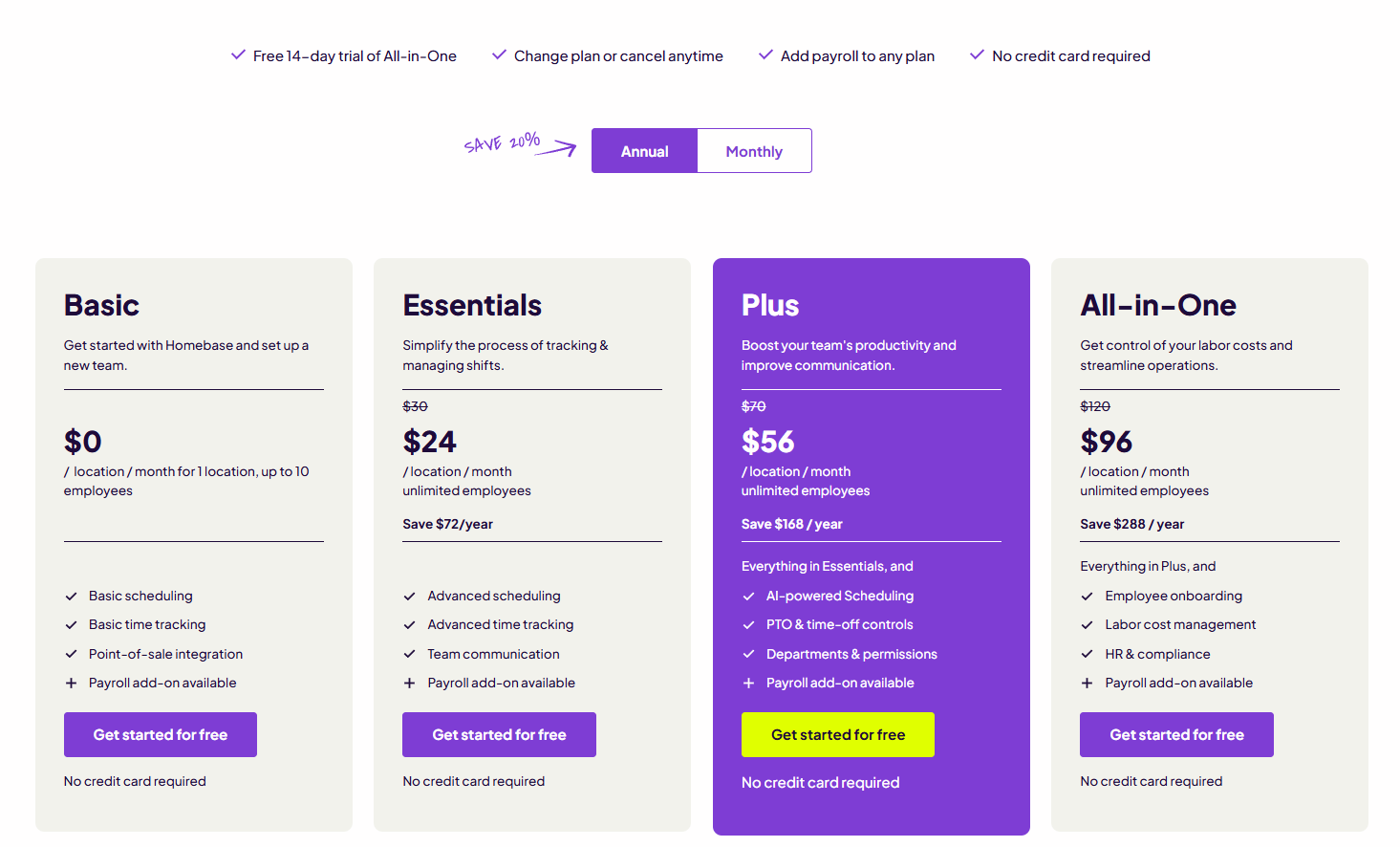
It’s not easy to find business software that’s both free and useful. Homebase’s Basic stands out in a very small crowd of products that meet a key need of many very small businesses without costing a dime. The free version supports as many as 20 employees at a single location, and its scheduling and employee management features are meager. Still, you get usable scheduling along with the ability to clock in and out on mobile phones, tablets and POS devices, as well as team messaging.
Most SMBs are better served by one of Homebase’s paid plans: Essentials, Plus or All-in-One. All three come with the features of Basic plus advanced scheduling and timekeeping that includes availability, time-off requests, location-based clocks, automated reminders and employee shift swapping.
Homebase’s paid packages also add payroll integrations and team communication. Plus and All-in-One come with recruiting and extensive employee management tools, but only the company’s high-end All-in-One plan has onboarding, compliance and access to Homebase’s certified HR advisors.
Businesses have the option of adding various add-ons to build a solution that’s best suited to their needs. In the future, Homebase will roll out a Task Manager add-on. However, it’s unclear when it will be available.
Our Expert Opinion
Homebase makes it easy for small and midsize businesses shopping for HR solutions to assess the company’s products and determine whether they have the scheduling and employee management features they need at a price within their budget. One factor that may influence their decision is Homebase’s reliance on add-ons for payroll processing and tip management. Homebase’s paid plans integrate with about a dozen payroll services, including Intuit QuickBooks, Paychex, ADP and Gusto.
While Homebase’s free Basic version serves as a starting point for new businesses, most organizations will find the Plus plan or the All-in-One package are better matches for their scheduling and HR requirements.
Ease of Use
The Homebase interface can best be described as utilitarian, but it’s also a breeze to learn and use. New employees have access to a startup guide on their home screen that guides them through the process of accessing schedules, tracking time and connecting with their team. Their dashboard provides a snapshot of their daily schedule and lists the items requiring their attention, including any schedule conflicts.
Other options allow managers and employees to view their pending payroll run, team roster, employment documents and team productivity. The home screen also offers one-click access to reports, open jobs and applicants, and a career page. However, there are only a few ways to view and filter schedules, including day, week or month and by department or role, although you can create custom views.
Value
Homebase costs less than the average price of an HRIS for small businesses, which our HR Software Pricing Guide estimates is between $35 and $99 a month plus $5 to $8 per employee per month. However, the product is first and foremost a scheduling app to which many employee management features have been added. This doesn’t preclude the product from being a viable HRIS option for small businesses, but even Homebase’s high-end All-in-One plan can’t match the scope of HR features found in products sold by ADP, Rippling and other HR and payroll vendors.
Customer Service and Support
Subscribers to Homebase’s paid plans can reach the company’s support staff by telephone, chat and email from 8 a.m. to 7 p.m. CT Monday to Friday. Support for users of the free Basic plan is available by email and through the company’s Help Center.
During testing, we used the web form on Homebase’s site to request a demo, and we received a call from a Homebase sales rep the next morning. All of our interactions with the company’s representatives were timely and informative.
Reputation
Homebase is used by more than 100,000 small companies and 2 million employees. Homebase users posting to popular review sites praise the product’s simple design and usability, but many note its lack of scheduling features, limited customization options and problems installing and using the company’s mobile app.